How to Manually create dates on Inmotion – CLDC
You will need to have access to Inmotion (Also known as Mobility ) to perform this function.
https://cldc.inhanceapps.com/login
Steps to reproduce when editing actual dates on Inmotion.
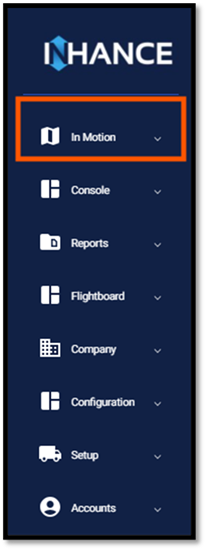
- Login to Inmotion >Navigate to the Inmotion Tab
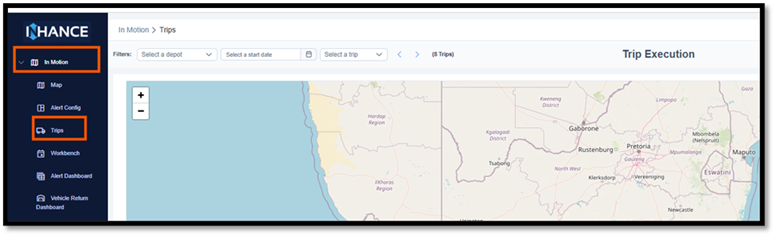
- Expand the Inmotion Tab and navigate to Trips
- You can search using the below options :
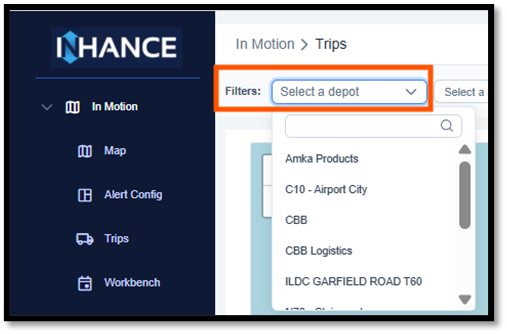 Depo
Depo
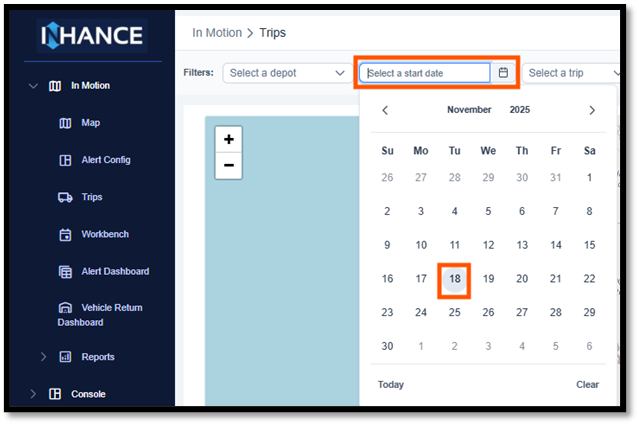
Date
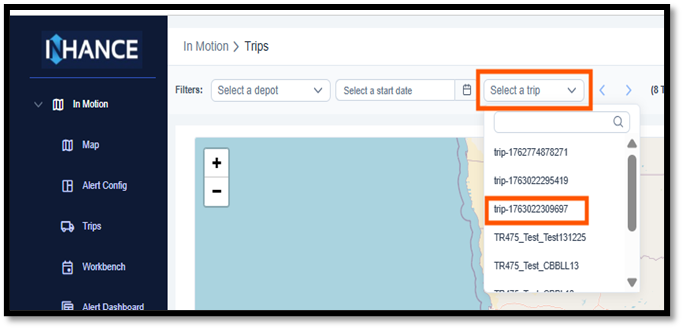 Trip
Trip
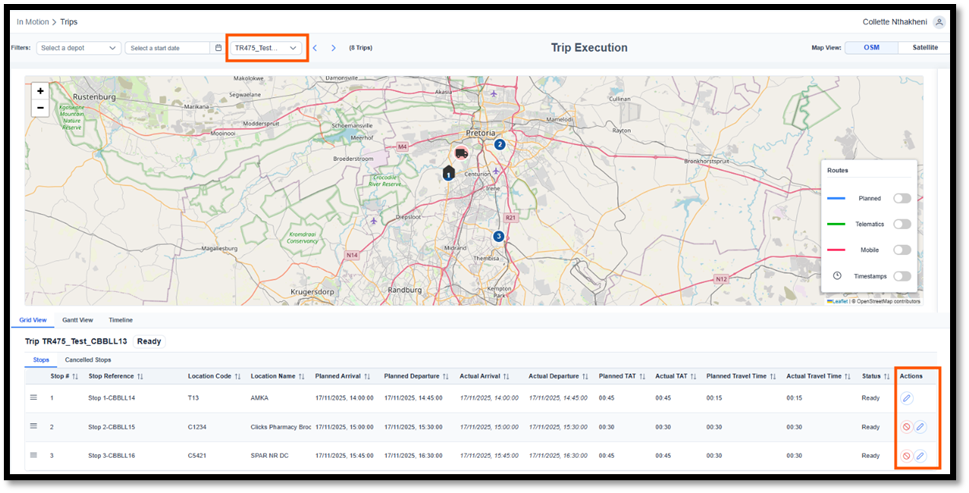 Once your trip is selected, Navigate to the stop you would like to make the update and click on the Edit/pencil icon on your far right. You may need to slightly scroll to the right to see the Edit icon.
5. Once you click on Edit, you will see a pop out window. Actual Arrival and Actual departure will be displayed. Click on calendar icon on the actual arrival and the calendar to pop out.
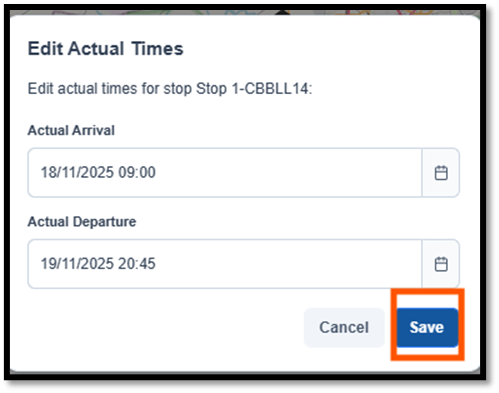
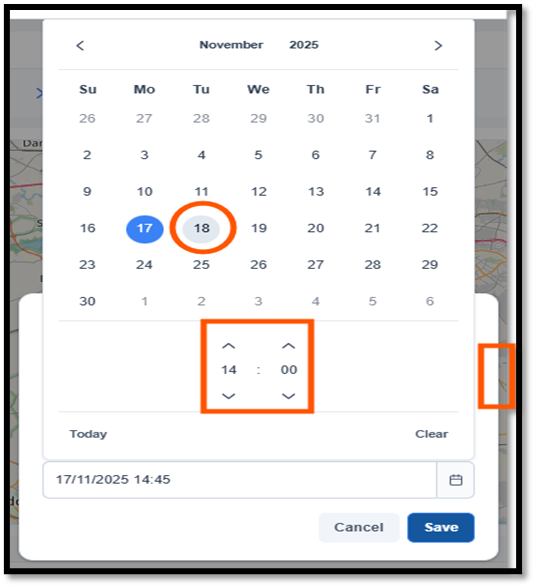 5.1. To make the change on the actual arrival , Please select the date and time. Please note to click on the side before saving in order to make the change on the actual departure. Repeat the above on actual departure. Once done please click on Save
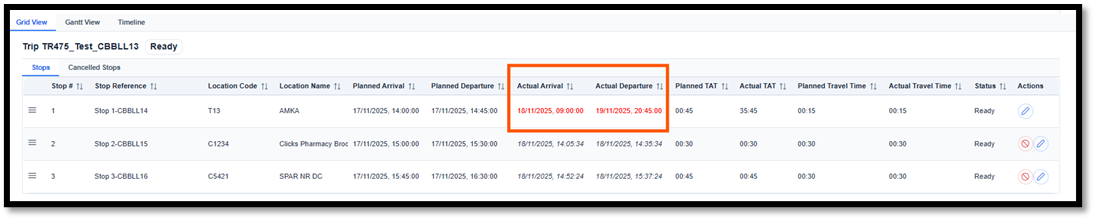 6. Once the change has been Saves, you will noticed the stop will reflect the updated dates and change colour to red.
Should you experience any system issues , Please log a call to Support@inhancesc.com
----------------------Process Ends---------------------
Was this article helpful?
That’s Great!
Thank you for your feedback
Sorry! We couldn't be helpful
Thank you for your feedback
Feedback sent
We appreciate your effort and will try to fix the article